LensPlate 2.0 · now completely free
The calorie counter that's actually free.
Log meals in seconds, see the calories and macros you have left, and scan any product for a health score. No ads, no subscription, nothing locked.


Scan to downloadwith your iPhone camera
iPhone · English, Deutsch, Español, Français, Italiano, Português
Every feature free
No subscription, no trial, nothing to unlock.
No ads
No ad networks and no cross-app tracking.
Logs in seconds
Recent foods, barcode scan and saved meals.
Works offline
Your diary lives on your iPhone and syncs.
Everything you need to count calories. Nothing you don't.
A food diary, a barcode scanner and targets that fit your goal, built to get out of your way.
Calorie counter
See what's left today, at a glance
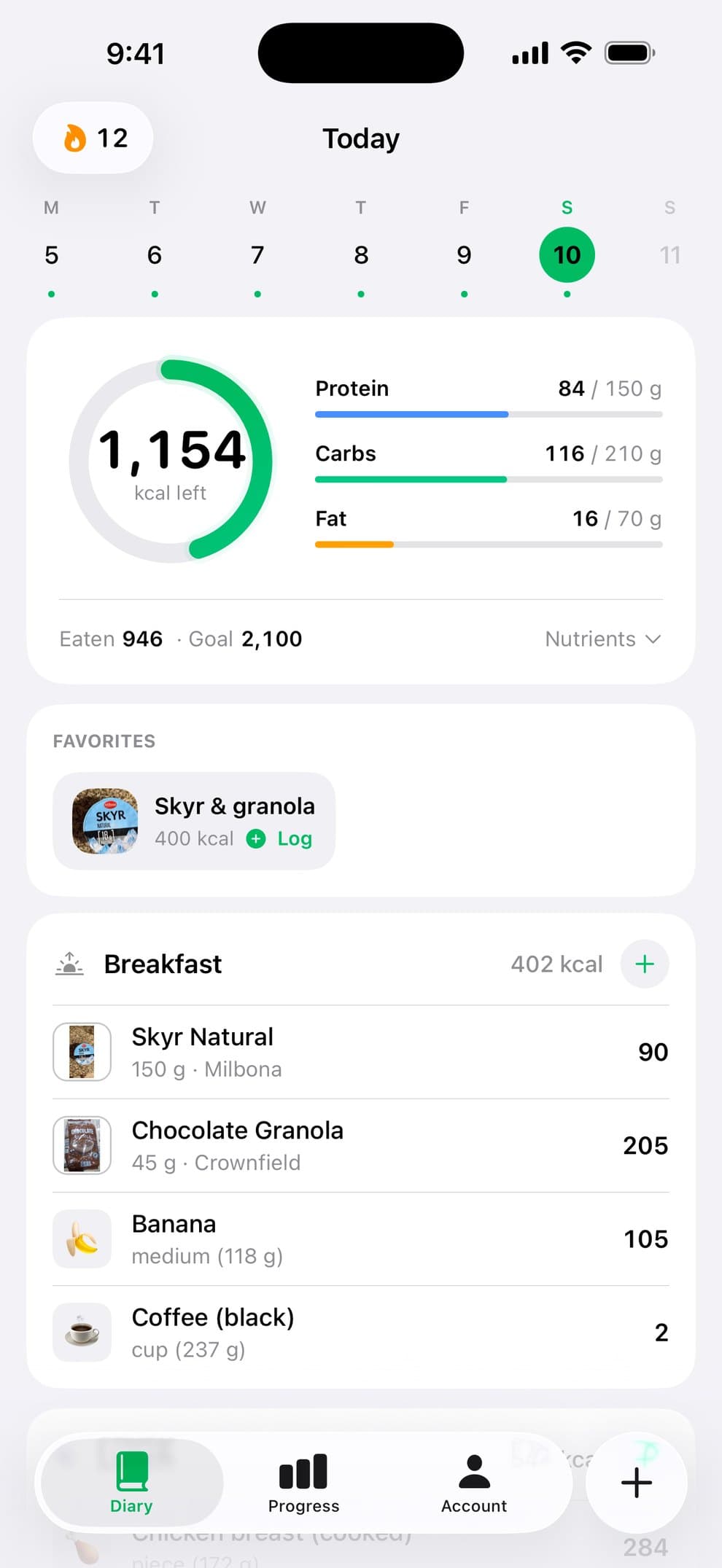
One card shows the calories you've eaten and the calories you have left, with protein, carbs and fat against your targets.
- Breakfast, lunch, dinner and snacks
- Fiber, sugar, saturated fat, sodium and cholesterol one tap away
- A photo or emoji for every food, so your day is easy to scan
Food diary
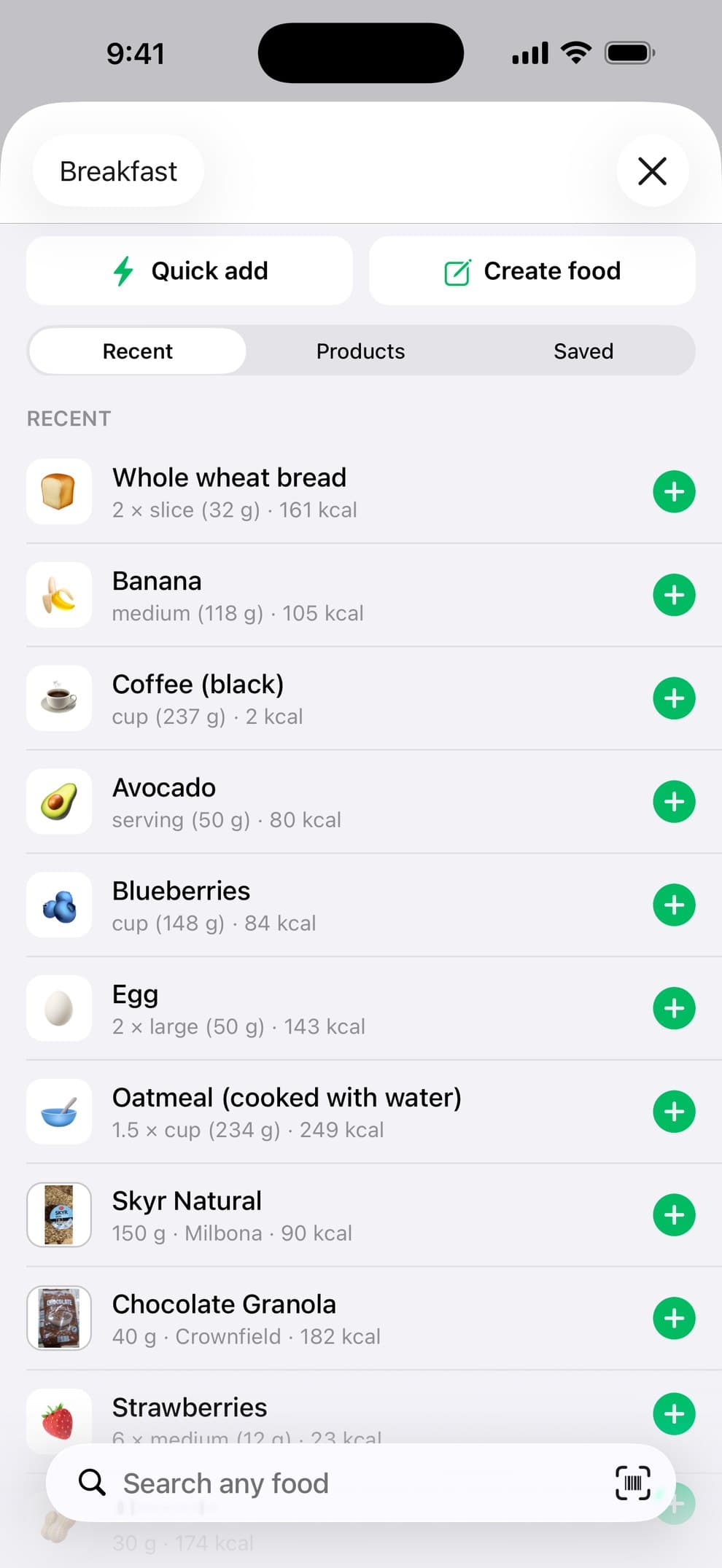
Log food in seconds
The foods you eat most are one tap away. Everything else is a quick search or a barcode scan.
- Recent foods and saved meals in one tap
- About 250 everyday foods with real portions, like a medium banana or a large egg
- Packaged products by name or barcode, plus quick add and your own foods
Barcode scanner
Scan a barcode. See the score.
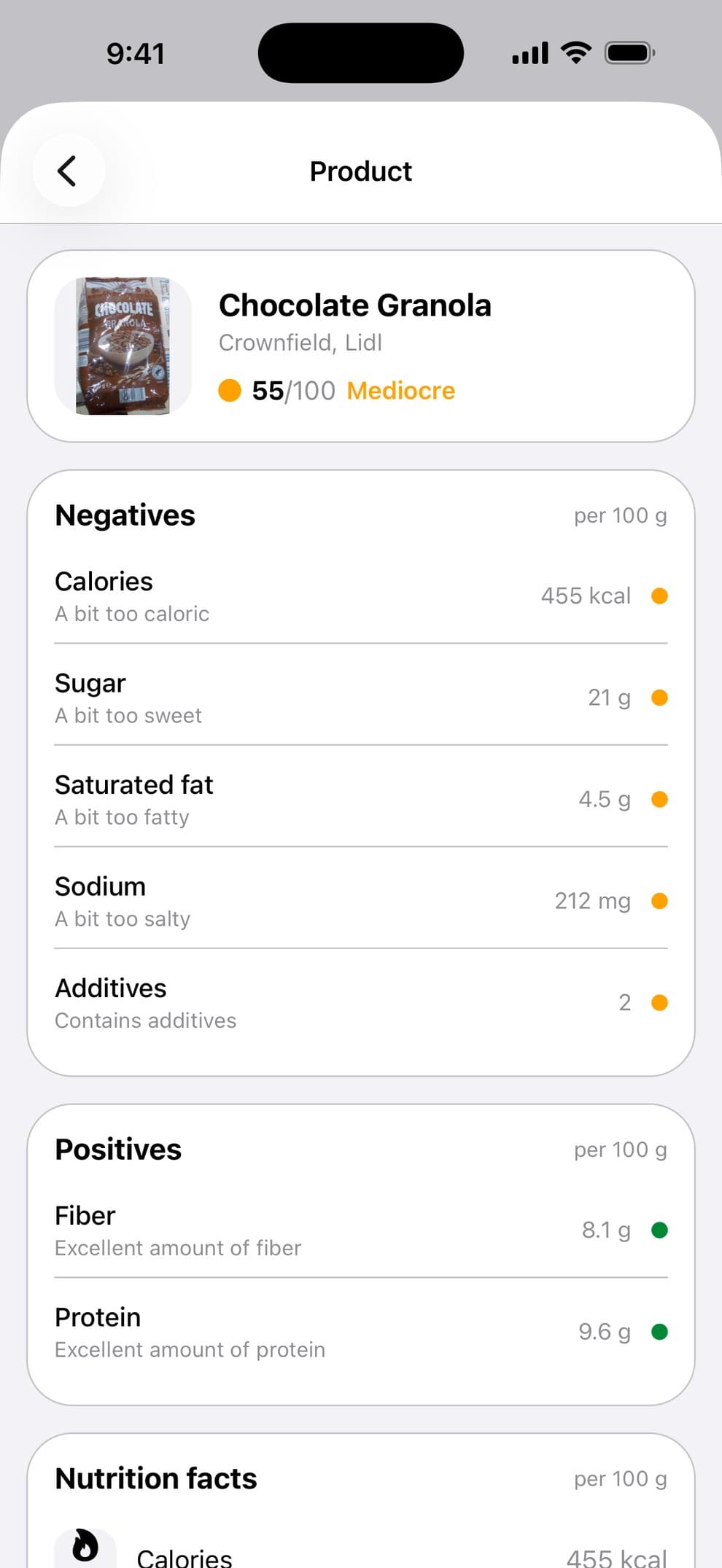
Scan a packaged food to see a score out of 100 based on its nutrients per 100 g, with the positives and negatives spelled out.
- Calories, sugar, saturated fat, sodium and additives explained
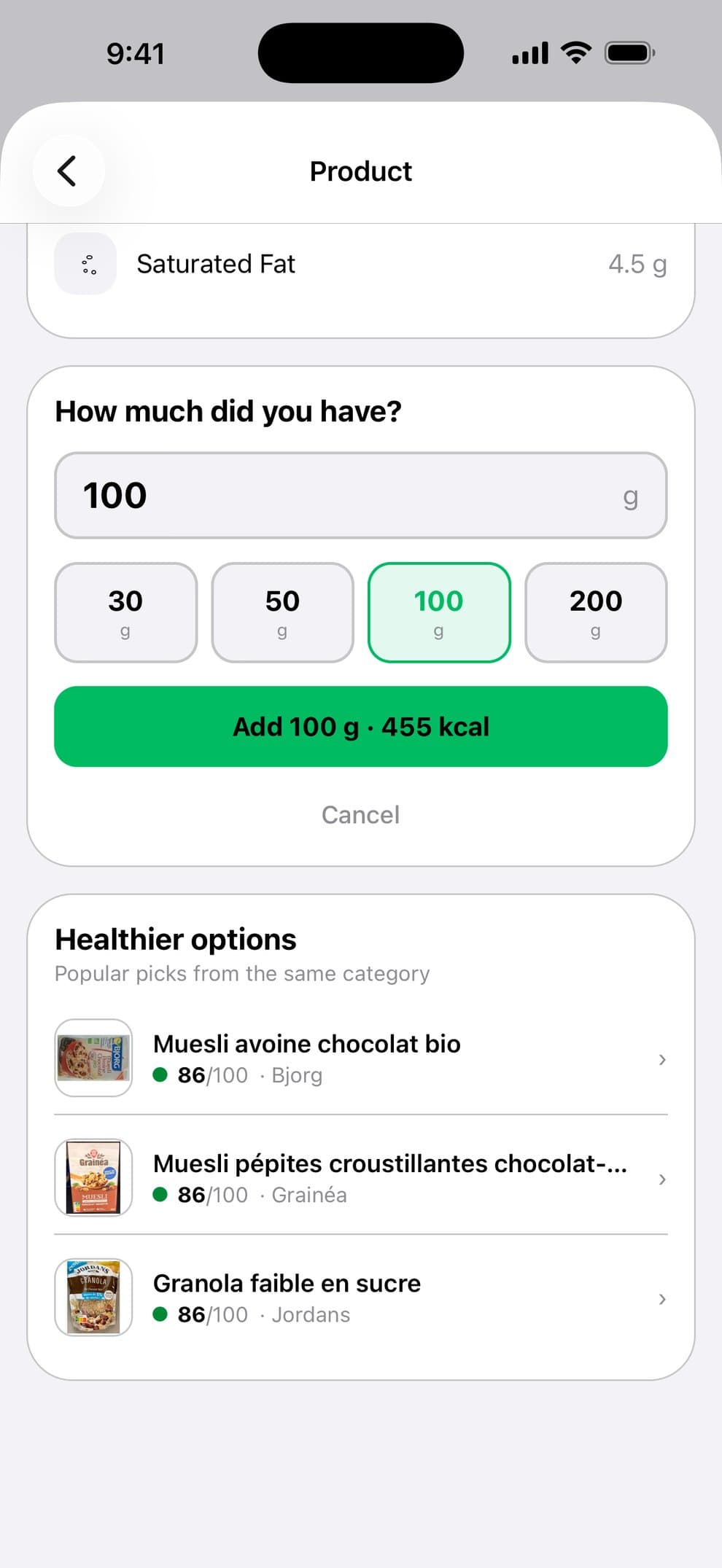
- Healthier options from the same category when a product scores low
- Log it in grams or servings straight from the product page
Adaptive targets
Targets that learn from you
Formulas are only a starting point. After two weeks of logging your food and weight, LensPlate works out how many calories you really burn and suggests a target that fits.
- Based on your own food log and weigh-ins, not an average person
- Apply the new target with one tap, or keep yours
- Never below a safe minimum: 1,200 kcal, or 1,500 kcal for men
And the details that keep you going
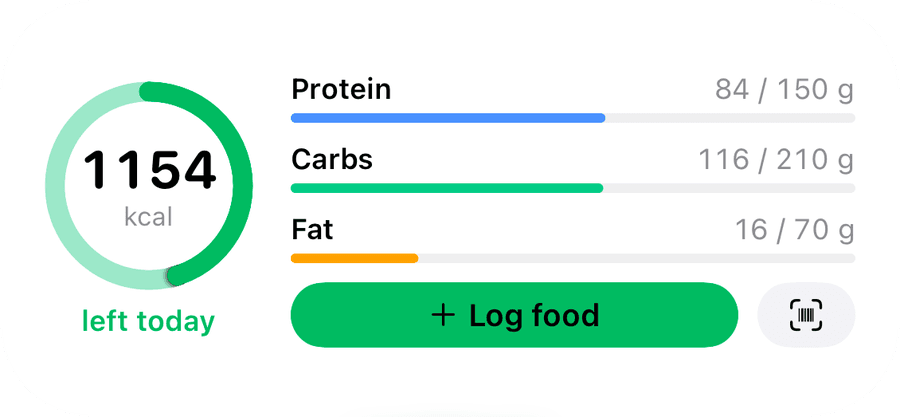
Calories left on your Home Screen
Home Screen and Lock Screen widgets, with one tap to log or scan.
Streaks
Log once a day and watch the streak grow.
Targets that fit your goal
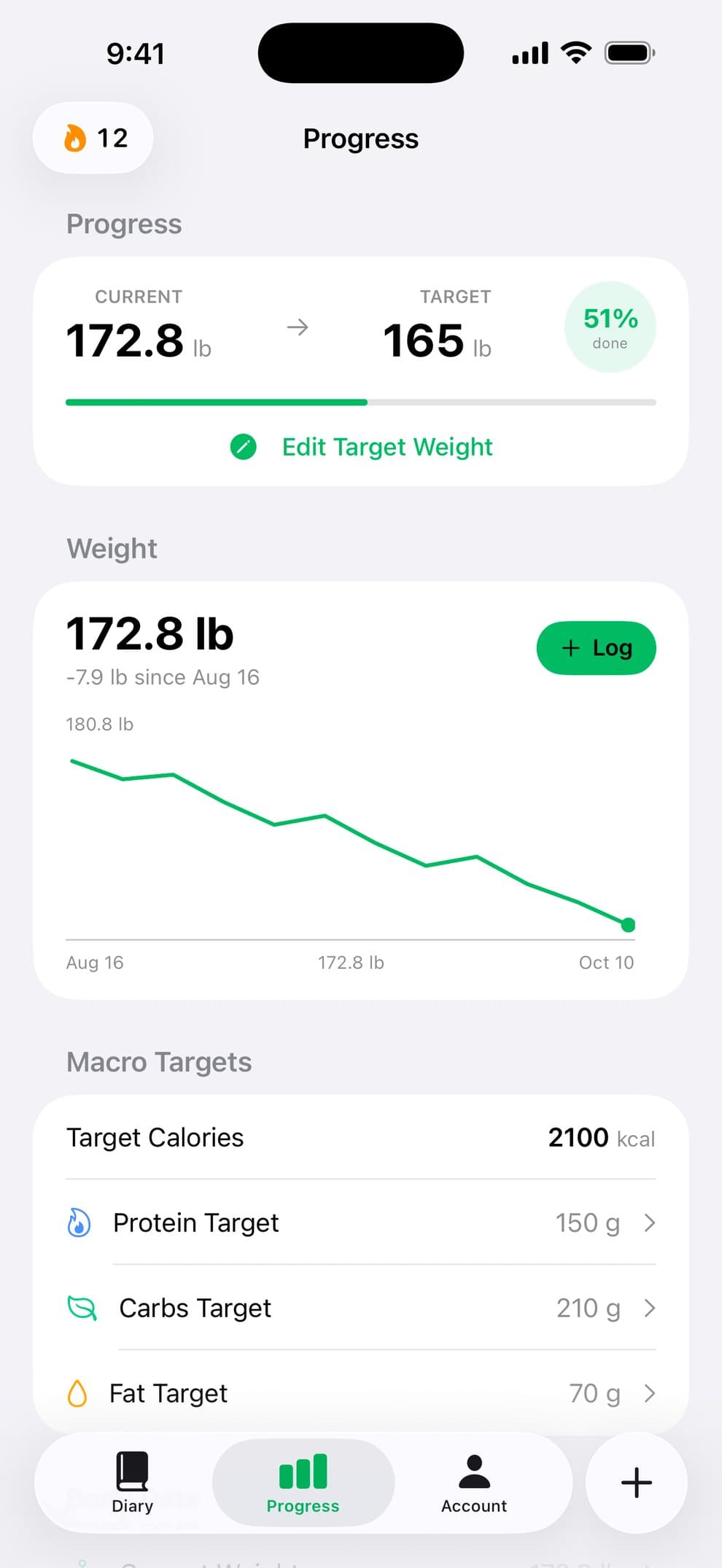
Lose, maintain or gain: calorie and macro targets you can change anytime.
Weight trend
Log your weight and see where it's heading.

Apple Health
Optionally save the food you log and your weight, and bring in weight from your scale.
Your language, your units
Six languages, metric or imperial.
Your data, your call
Export your whole diary as a spreadsheet, turn off analytics, or delete your account in two taps.
Why free
Free means free. Not a free trial.
A lot of calorie counters are free to download, then charge for the parts you use every day. LensPlate has no subscription and no ads, so all of this is simply included.
- Barcode scanner
- Adaptive calorie & macro targets
- Fiber, sugar, sodium & more
- Home & Lock Screen widgets
- Saved meals & custom foods
- Apple Health sync
- Weight trend & streaks
- Export your diary (CSV)
Questions, answered
Is LensPlate really free?
Yes. Every feature in the app is free, with no ads, no trial and no subscription. There's nothing to unlock.
Is the barcode scanner free too?
Yes. Scan any packaged food to log it and see its score, as often as you like. Product data comes from Open Food Facts, a free, collaborative database, so check the label when it matters.
Can I track macros, not just calories?
Yes. LensPlate sets daily calorie, protein, carb and fat targets from your goal (lose, maintain or gain weight), your body data and your activity, using the Mifflin–St Jeor equation, and never below 1,200 kcal (1,500 kcal for men). After two weeks of logging your food and weight, it estimates what you really burn and suggests an updated target. You can change any target yourself, and see fiber, sugar, saturated fat, sodium and cholesterol for the day.
Do I need an account?
Yes. You sign in with Apple or Google at the end of setup, so your diary is backed up and comes back after a reinstall or on a new iPhone. You can delete the account and all its data in the app at any time.
Does it work offline?
Yes. Your diary lives on your iPhone, so you can see your day and log recent foods, everyday foods, quick adds and your own foods without a connection. Changes sync when you're back online. Searching packaged products and scanning new barcodes need a connection.
Does it work with Apple Health?
If you want it to. Turn on Apple Health in Account to save the food you log and your weight to Apple Health, and to bring in your weight from smart scales and other apps. Apple Health data is never used for ads or analytics.
What data does LensPlate store?
Your food diary is stored on your iPhone and synced to your LensPlate account, so it survives a reinstall. Your plan and body data (goal, height, weight) are stored in your account. Food searches go to Open Food Facts without your account details. You can turn off usage analytics in Account → Privacy, export your diary as a CSV file, and delete your account and data in the app at any time.
Which languages does it support?
English, French, German, Italian, Portuguese and Spanish, in metric or imperial units. LensPlate follows your iPhone's language, and you can change it in Account.
Is there an Android version?
Not yet. LensPlate is on iPhone today, and an Android version is in the works.
What happened to photo scanning?
Photo scanning from earlier versions has been retired. Meals you logged with it stay in your diary. If you still have a subscription from an earlier version, cancel it in Settings → your Apple Account → Subscriptions. LensPlate no longer charges for anything.
Your next meal is the easiest one to log.
LensPlate is free on iPhone. No ads, no subscription.